Email
We read this inbox. Include your ATEM model if you can.
Help
Need a hand connecting or reporting a problem? Email us, or send a bug report from the app.
We read this inbox. Include your ATEM model if you can.
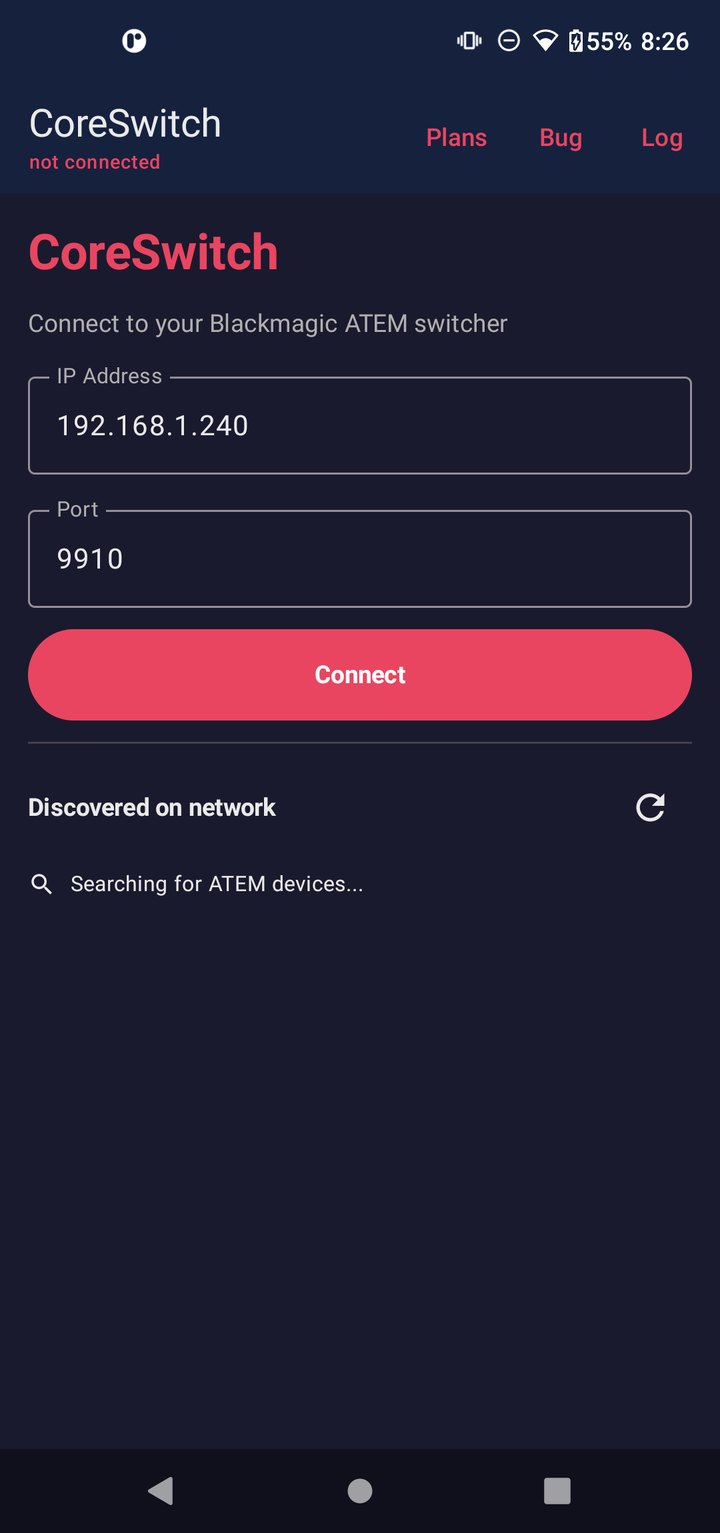
Connect
Put your phone on the same Wi‑Fi as the ATEM. CoreSwitch can find the mixer on the network, or you can type the IP yourself — port 9910 is the usual default. Your last address is saved for next time.
Only one control client should be active. Close ATEM Software Control on the PC while you test the phone.
When you connect with no purchase, you get 5 minutes of Basic controls. The banner shows time remaining. After that, controls lock until you upgrade. Disconnect and reconnect starts a new demo session. Connection, settings, and purchase always stay available.
Basic: Program, Preview, CUT, AUTO, FTB, T-bar. Pro adds transitions, keyers, Audio, Output, and Color. Ultimate adds Media, Lower Third, Stream, Macros, and Camera. See the plans on the home page.
Those layouts need a tablet-width screen (600 dp or wider). Phones always use Rozha’s Coreswitch layout.
Usually another client holds the session, or Wi‑Fi routing is wrong. Close Software Control, stay on the same LAN, and check ⋮ Diagnostic Log. Restore purchases from the Plans dialog if you already paid.
No. Rozha's Tech is not affiliated with, endorsed by, or sponsored by Blackmagic Design.
CoreSwitch talks to your ATEM on your local network. It does not require an account.
We collect what we need to run the app and purchases:
Questions: cocrozha@gmail.com.